npm에 라이브러리 올리기
엄청 간단하다.
그럼 바로 시작!
프로젝트 생성
프로젝트에 대한 세팅이 끝났다면 이 과정은 넘어간다
mkdir test
cd test
yarn init -y // or npm init -y
package.json에 필요한 설정들을 해준다.
{
  "name": "@solb/bottom-sheet",
  "version": "1.0.0",
  "description": "This is a bottomsheet created with pure JavaScript using Web Components.",
  "repository": {
    "type": "git",
    "url": "git+https://github.com/y-solb/bottom-sheet"
  },
  "keywords": [
    "javascript",
    "typescript",
    "bottomsheet",
    "bottom-sheet",
    "modal",
    "customElements",
    "Web Components"
  ],
  "author": "Yoon Solbi (https://sollogging.tistory.com/)",
  "type": "module",
  "main": "dist/index.js",
  "types": "dist/index.d.ts",
  "scripts": {
    "prepack": "yarn build",
    "build": "yarn clean && yarn build:tsc",
    "build:tsc": "yarn tsc",
    "clean": "rm -rf dist"
  },
  "license": "MIT",
  "packageManager": "yarn@3.2.4",
  "devDependencies": {
    "@types/node": "^20.10.4",
    "typescript": "^5.3.3"
  },
  "bugs": "https://github.com/y-solb/bottom-sheet/issues"
}
name: 라이브러리명
version: "major.minor.patch"로 안정적이라면 1.0.0으로 시작하고 아니라면 0.0.1부터 시작한다.
description: 라이브러리 설명으로 아래와 같이 검색 시 리스트에 나타난다.
repository: 소스를 확인할 수 있는 url을 입력한다.
keywords: 원하는 키워드를 배열 형태로 입력해 준다.
author: 만든 이
license: 어떤 라이선스를 따를 것인지 정해준다.(ISC, MIT 등)
bugs: 라이브러리에 문제가 있을 경우 제보할 수 있는 url 또는 이메일

npm 로그인
계정이 없으면 계정을 생성해 주자!
npm loginUsername, Password, Email을 입력하고 일치할 경우 이메일로 숫자코드를 보내주는데 숫자코드까지 입력하면 로그인 성공이다
로그인이 잘 되었는지 확인해 준다.
npm whoami.npmignore
.gitignore처럼 npm에 업로드할 필요가 없는 파일들을 작성해 준다.
예를 들면, 테스트코드, 예제소스 등이 있다.
배포하기
npm publish
배포하기 전에 실행되어야 할 명령어가 있다면 package.json의 script에 prepack 명령어를 작성하면 npm publish가 실행될 때 같이 실행된다!
나는 기존에 있던 dist 폴더를 삭제하고 typescript를 build 하도록 했다.
 ...
 "scripts": {
    "prepack": "yarn build",
    "build": "yarn clean && yarn build:tsc",
    "build:tsc": "yarn tsc",
    "clean": "rm -rf dist"
  },
  ...
version 업데이트
이미 배포된 라이브러리를 수정하고 재배포할 경우 version을 올려줘야 한다.
직접 package.json에서 변경해 줘도 되고 아래와 같이 명령어를 통해 업데이트할 수도 있다.
version: "major.minor.patch"로 원하는 version의 업데이트에 따라 명령어를 사용하면 된다.
npm version patch
npm version minor
npm version major
버그 발생 🐛
private package(유료)로 publish해서 에러 발생

npm ERR! code E402
npm ERR! 402 Payment Required - PUT https://registry.npmjs.org/@yoon%2ftest-1 - You must sign up for private packages
해결방법
나는 public으로 하고자 했기 때문에 아래와 같이 배포해 줬다
npm publish --access=public
해당 Organization이 없어서 에러 발생

npm ERR! code E404
npm ERR! 404 Not Found - PUT https://registry.npmjs.org/@solb%2fbottom-sheet - Scope not found
npm ERR! 404
npm ERR! 404  '@solb/bottom-sheet@0.0.2' is not in this registry.
npm ERR! 404
npm ERR! 404 Note that you can also install from a
npm ERR! 404 tarball, folder, http url, or git url.
해결방법
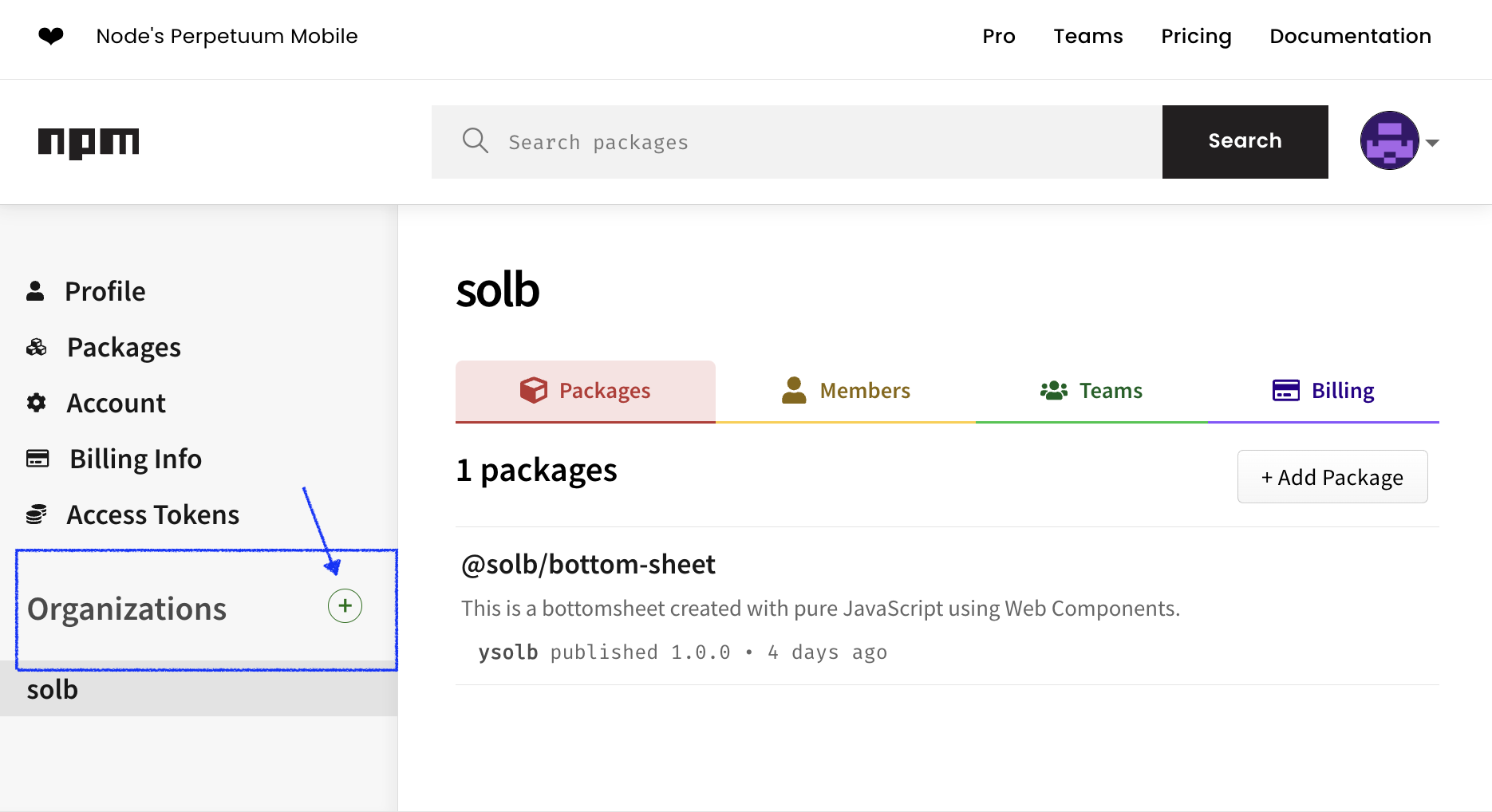
라이브러리 name을 "@xxx/라이브러리명" 이런 식으로 했다면
xxx Organization에 packages를 생성한다는 뜻이다!
그래서 npm으로 가 Organizations를 생성해 준 후 다시 npm publish를 하면 정상적으로 배포에 성공한다!
배포 완료 🚀
생각보다 간단하게 끝났다! (배포해 직접 사용해 보니 버그가 있어 조금씩 수정해 가며 완성되었다.)
유용하게 쓰고 있거나 항상 사용하는 보일러 플레이트가 있다면 npm에 올려서 사용해 보는 것도 좋을 거 같다 😆
저의 첫 라이브러리 구경하고 가세요 ㅎㅎ
